
Discoup is an official partner of Booking.com for coupon codes. If you purchase through our links, Discoup may receive a commission.
45 available discounts
-
Booking.com Discount: Save At Least 15% on End-of-Year Stays
DetailsExpires on 01/08/2027Save a minimum of 15% on new accommodation bookings at participating properties, indicated by the 'Late Escape Deal' label on the search results and room selection pages. Savings vary depending on the discount made available by the property. Bookings must be made before 09:59 CET on January 7, 2027, for stays with check-in on or before October 1, 2026 and check-out on or before January 7, 2027.
-
Booking.com Black Friday deals up to 40% off
DetailsExpires on 11/27/2026Book with Black Friday Deals and save 40% on your next adventure!
-
Booking.com travel credit promo: Get $300 back
DetailsExpires on 12/12/2026Black Friday offer: Receive $300 in travel credits after qualifying purchases with the Genius Rewards Visa. Terms apply.
-
Booking.com Genius Loyalty Program: Save 10% When You Sign Up
DetailsExpires on 12/31/2026Register or sign in to enjoy 10% or more discount at selected properties with a complimentary Booking.com membership
-
Booking.com Promo: 20% Off
DetailsExpires on 12/31/2026Join the Genius loyalty program to enjoy savings up to 20% and receive free lifetime access when booking through Booking.com.
-
Booking.com Coupon: Save Over 15% On Select Stays
DetailsExpires on 01/07/2027Get away for less with Late Escape Deals and save 15% or more. Book by Jan 7, 2027 for stays between Oct 1, 2026 and Jan 7, 2027.
-
Booking.com savings Up to 20% on Stays & Priority Help
DetailsExpires on 12/31/2026Book now to enjoy up to 20% savings on chosen stays and up to 15% savings on rental cars with priority support for all reservations.
-
Booking.com Offer: Up to 20% Off Stays & Cars
DetailsExpires on 12/18/2026Receive 10% off stays and rental cars at Level 1, 10%-15% off stays and rental cars plus free breakfast and room upgrades at Level 2, and 10%-15% off stays and rental cars at Level 3. Register or sign in to enjoy free lifetime access to discounts on selected stays and rental cars worldwide. Discounts apply before taxes and fees at over 850,000 locations globally.
-
Save at Booking.com With Seasonal & Holiday Deals
DetailsExpires on 12/12/2026Discover seasonal and holiday discounts by entering your travel dates at Booking.com to find deals suitable for every season and holiday.
-
Booking.com Car Rental Deal Available Now
DetailsExpires on 12/12/2026Reserve your upcoming rental car easily through Booking.com for a seamless travel experience.
-
Booking.com Promo: Up to 20% Off Bundled Trips
DetailsExpires on 12/13/2026Get better deals on vacation packages with transparent pricing and no extra fees
-
Save Over 15% in San Francisco With This Booking.com Deal
DetailsExpires on 12/14/2026Rates are already reduced. Browse now to secure accommodations in San Francisco.
-
Up to 6% Off + $150 Credit With the Genius Rewards Card at Booking.com
DetailsExpires on 12/15/2026Earn 6% travel credits on stays and 5% on other travel with the Booking.com Genius Rewards Visa Signature Card Receive $150 credit after spending $1,500 within 90 days plus immediate Genius Level 3 upgrade with 10-20% off select stays
-
Booking.com Onboard Spending Deal Up to $ 1,000
DetailsExpires on 12/15/2026Book last-minute cruises and receive onboard credits ranging from $25 to $1000 based on the booking amount. Credits apply to drinks, specialty dining, spa services, and more. Valid for new individual bookings on select cruise lines departing by 12/31/27. Offer per stateroom and capped at 10% of cruise price. Additional terms may apply.
-
Booking.com Discount: 15%+ Off Paris Stays
DetailsExpires on 12/17/2026No code required. Prices are already reduced. Start booking your stay today.
-
Booking.com Coupon: 10% Off Car Rentals for Genius Members
DetailsExpires on 12/17/2026Discount automatically applied at checkout. Browse and book the car rental deals today.
-
Save 5% on NYC Stays with this Booking.com Deal
DetailsExpires on 12/17/2026No code required. Prices shown reflect the discount. Shop the sale today.
-
10% Discount on Select Car Rentals Booking.com
DetailsExpires on 12/17/2026Enjoy a 10% discount on selected car rentals with the Blue Genius Label at Booking.com
-
Booking.com Deal for Newsletter Sign-Up
DetailsExpires on 12/17/2026Booking.com provides special savings by subscribing to their newsletter. Get early access to sales, email-only deals, and unique promotions delivered directly.
-
Booking.com 20% Discount on Clearance Deals
DetailsExpires on 12/18/2026Enjoy savings up to 20% on Booking.com clearance items featuring significant discounts on select styles and discontinued products. Check the clearance section for the best discounts available.
Collect points and redeem Gift Cards with Discoup Rewards
Points Earning and Usage Policy
- Points earned on your online purchases will be visible in your Points Balance within 1-4 days from the date of purchase and will remain “locked” until they are released.
- Points will become available and usable 7 days after the purchase date.
- For purchases made on Travel sites (for example, flights, hotels, and car rentals) and Services sites (for example, insurance, energy, and finance), Points will be unlocked only after confirmation of the actual use of the booking or purchased service.
- Any extra earning plans will be added to your Points Balance according to the specific conditions of the relevant initiative.
- Points cannot be accrued on purchases paid, in whole or in part, with gift cards.
- Points will not be earned when using discount or promo codes that are not provided by Discoup.
- Points are calculated on the net purchase amount, excluding taxes and additional fees (e.g. shipping).
- To award points, the purchase must generate a confirmed commission. If the commission is not recognized, the points cannot be credited.
- To ensure your Points are correctly credited, log in to Discoup and make sure you have accepted all cookies on both Discoup and our brand partners’ websites before proceeding with your purchase.
- If you purchase directly on the brand’s website without going through Discoup, we will not be able to credit you any Points.
Booking.com discounts you may have missed out on
Here are some coupon codes that could still work, and you can get an idea about past Booking.com offers and the frequency of their publication.
Booking.com Coupon: Save Over 15% With Getaway Deals
Book your next stay with Booking.com Getaway Deals and save at least 15% on select stays, now through September 30.
Up to 50% Off Extended Stays - Booking.com Promotion
Save up to 50% off Extended Stays at Booking.com: plan a 30 nights or more stay and access special, reduced monthly-rental rates!
Get 20% Off Early Bird Travel - Booking.com Promo Code
Grab this Booking.com promo code to get 20% off hotels, weekend getaways, and short stays when you book at least 60 days out. Book now and save big on your next trip!
Booking.com coupon code with Genius - 15% off
When you reach Level 2 of Genius Loyalty Program you'll get a 15% discount.
What kind of discounts does Booking.com offer?
Here is what Booking.com discounting really looks like, drawn from 93 promotions tracked over the last two years.
| 24% | 76% |
When you see an up to offer, read it as a ceiling and check the code conditions before you count on the top figure.
Based on 93 Booking.com promotions (codes and offers) from the past 24 months. Discoup data, Q3 2026.
Why should you trust Discoup? Real discount codes, manually tested by our team
Each Booking.com discount code you find here has already been tested manually by our team in order to give you only working deals, with no surprises. We verify and update our coupons regularly, only choosing trustable shops and real promotions. Saving money online is easy, safe and always free with Discoup. Find out more about how reliable we are.
This page has been updated by:

Eleonora Pisano
Content Creator
My name is Eleonora and I joined Discoup in 2023. As a content creator, I hunt down the best discounts on the web to guide users toward the best savings opportunities. With a degree in Specialized Translation, I love languages, different cultures, and teamwork. Together with the whole team, I check the offers and codes published every day to help you save money online in the simplest and most direct way possible!
Shops similar to Booking.com to save on the category Travel
Show more


Discounts Available Today
| Codes: | 1 |
| Offers: | 44 |
| Total Promotions: | 45 |
| Best Discount: | 40% |
Top Shops
List of the best active Booking.com coupon codes
Partially obscured codes (some are exclusive or customized): to view and copy the full code, click on "Get code"
| Code | Offer | Expiration | Get code |
|---|---|---|---|
| Already Applied | Booking.com Discount: Save At Least 15% on End-of-Year Stays | 01/08/2027 | Get sale |
| Already Applied | Booking.com Black Friday deals up to 40% off | 11/27/2026 | Get sale |
| Already Applied | Booking.com travel credit promo: Get $300 back | 12/12/2026 | Get sale |
| Already Applied | Booking.com Genius Loyalty Program: Save 10% When You Sign Up | 12/31/2026 | Get sale |
| Already Applied | Booking.com Promo: 20% Off | 12/31/2026 | Get sale |
| Already Applied | Booking.com Coupon: Save Over 15% On Select Stays | 01/07/2027 | Get sale |
Where a Booking.com promo code goes depends on which code you are holding: some are typed into the dedicated field at the payment step, while coupon codes issued by Booking.com's reward partners are redeemed on the official travel coupons page and land in your Wallet as Credits. Codes are only one lever, though: the free Genius program trims 10-20% off participating stays automatically, and seasonal deal collections run all year. The live list at the top of this page is the always-current starting point.
This guide was last reviewed in November 2026. The live coupons and prices listed above are updated automatically and take precedence over any example described in this guide.
Where Booking.com savings stand in November 2026
Cards checked on November 1, 2026. In November 2026, Booking.com is running Late Escape Deals, which cover stays at participating properties worldwide from October 1, 2026 to January 7, 2027.
The official deals page puts the savings at 15% off or more, calculated on the price before taxes and fees are added, and sets January 7, 2027 as the last day to book. Genius keeps working alongside the campaign, with prices that apply on sign-in and no code to type.
Offers live on the list above on November 1, 2026:
- 15% or more — Late Escape Deals on select stays — the stay has to fall between October 1, 2026 and January 7, 2027 — the card lists January 7, 2027 as the end date and asks for the booking by then.
- 10% — Genius sign-up discount on selected properties — the card asks you to register or sign in with a free Booking.com membership and says the figure can go higher — the card lists December 31, 2026 as the end date.
- $25 to $1,000 in onboard credit — new individual bookings of last-minute cruises on select cruise lines, for sailings departing by December 31, 2027 — the credit grows with the booking amount, is counted per stateroom, and is capped at 10% of the cruise price — the card lists December 4, 2026 as the end date.
- 10% — selected car rentals — the card limits it to rentals carrying the blue Genius label — the card lists December 4, 2026 as the end date.
- Email-only deals — Booking.com newsletter sign-up — the card says subscribers get early access to sales and email-only deals, without naming a figure — the card lists November 26, 2026 as the end date.
Where to click first. On Booking.com the fine print that decides a deal is which properties take part and which stay dates qualify, so open a card's details before planning a trip around its figure.
One figure to read carefully. When a Genius card promises savings up to a figure, that ceiling comes with the program's higher levels, and Booking.com's Genius page adds that a higher level does not always mean a bigger discount: percentages vary by property, and some properties may give members the same discount at every level.
Three questions to settle before you book
Is the Genius percentage calculated on the final total? No. On stays it applies to the price before taxes and fees, and on rental cars to the cost of the car only, so it refers to those amounts and not to the total you pay.
Should you create the account before you even search? In practice, yes: Genius prices only show once you are signed in, so browsing signed out means comparing against a list that hides the discounted rates you would actually pay.
Code or no code: how do you tell before clicking? The button on the card tells you. Get code means there is a string to copy; Get sale means there is nothing to paste, though any condition the card names, such as signing in to Genius or subscribing to emails, still applies.
How to apply a Booking.com promo code
Booking.com lets you filter by price, location, room type, and cancellation terms, so finding the right stay is rarely the hard part. Getting the discount registered before you pay is where bookings go wrong. The steps below cover the code you type at checkout; a coupon code handed out by one of Booking.com's reward partners takes a different route, described right after them.
- Scroll to the live list at the top of this page and compare the current Booking.com coupons and offers; the conditions sit one tap away on each card.
- Pick the deal that fits your trip and hit Get code (or Get sale for no-code offers); the code, when there is one, appears ready to copy.
- Complete your room and guest selection on the official site, then find the promo code box in the payment step, paste the code there, and confirm it.
- Before paying, check the price breakdown: the total should drop and show the discount as its own line. If nothing moves, the code did not register.
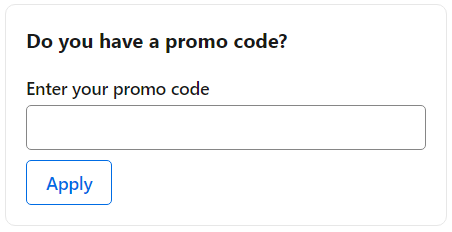
That is not the only route. Booking.com's travel coupons page describes a second one, for codes handed out by its reward partners: you exchange the coupon for Credits, which sit in your Wallet and are then spent at the payment stage on bookings that accept Wallet payments, which the site flags with a Pay with Wallet badge.[1] An email address is enough to redeem a coupon, while spending the Credits requires an account registered to that same address. And many of the strongest Booking.com discounts carry no code at all: Genius rates and seasonal deals price themselves in automatically, and the card itself tells you whether you are copying a code or just activating an offer.
When a Booking.com code refuses to work
When a code refuses to budge the total, the cause is almost always one of four things, and checking them in order takes less than a minute.
- Validity. Every code has a limit: a fixed expiry date, a window counted from release, or a number of uses per customer. If the card that issued it has rotated out of the live list above, assume the code went with it.
- Typos. Codes are exact strings. A missing character or a stray space at the end of a paste is the usual culprit, so retype it once before blaming the code.
- Restrictions. Some codes are reserved for first-time customers, specific properties or destinations, a minimum spend, or certain countries. The reservation has to match the code's terms in every detail.
- Stacking. A promo code generally cannot be piled on top of another code in the same booking. If you hold more than one, try each separately and keep whichever cuts the total most.
One case is not a failure at all: if the offer you activated was a no-code deal, there is nothing to type, and the lower price either shows in the listing or it does not apply to your dates.
Genius, the loyalty program that skips codes
Genius is Booking.com's free loyalty program, and its discounts apply on their own at participating properties: no code, just a signed-in account. Eligible options carry a blue Genius label in search results, and every completed booking for stays, flights, rental cars, taxis, or attractions counts toward the next level.
Genius Level 1
- unlocked the moment you create a free account
- 10% discounts on select stays and select rental cars worldwide
Genius Level 2
- reached after 5 completed bookings within 2 years
- 10-15% discounts on select stays and rental cars
- free breakfast at select stays
- free room upgrades at select stays
Genius Level 3
- reached after 15 completed bookings within 2 years
- 10-20% discounts on select stays
- breakfast and room-upgrade perks continue at select stays
- priority support on all your stays
Levels never expire: Booking.com states it does not demote members, so once a level is unlocked its rewards stay yours.[2] In many cases the Genius price can also combine with other active discounts, and the eligibility notes shown before you book spell out which ones apply together.[2]
Code, Genius, or deal: pick your path
Because Booking.com runs several savings channels at once, it helps to see them side by side before you decide where to spend your effort.
| Path | Typical benefit | What it requires | Where it appears |
|---|---|---|---|
| Promo code | Set discount on eligible bookings | Copying the code and entering it before payment | Live cards at the top of this page |
| Genius program | 10-20% on participating stays, by level | Free account, signed in while searching | Blue-label prices in results |
| Seasonal deals | Holiday-linked discounts on select stays | Booking inside the collection's window | Official deals hub and app |
| Mobile-only pricing | Lower rates on selected stays | Booking through the app | App search results |
| Wallet rewards | Travel Credit toward future bookings | Earning credit from eligible activity | Wallet section of your account |
| Discoup points | Points on top of the merchant's own discount | Signing in to Discoup and activating a Booking.com offer from this page | Your Discoup account |
The paths are not mutually exclusive, but Wallet rewards are not automatic, and the terms say so plainly: Booking.com issues rewards at its own discretion, and how much you earn depends on each promotional campaign. Treat Travel Credit as a bonus to check for, not a return to count on.
Deals with no code: seasonal windows, app prices, email alerts
The official deals hub gathers collections pegged to the calendar: Thanksgiving, Black Friday, Christmas and winter holidays, Valentine's Day, Easter and spring break, and more. Each collection has its own booking window, while the stay itself can fall later, so read both dates on the deal before assuming the discount covers your trip.
The Booking.com app deserves its own check on every trip: mobile-only pricing lowers rates on selected stays when you book from the app, and the Genius page lists flight price alerts that track prices for a route and dates you choose.
Email is the quiet third channel: subscribing with your account gets you money-saving messages and seasonal offers before you would stumble on them, and Booking.com also maintains official social profiles where promotions surface. For a single collected view, this page stays the shortcut: new Booking.com voucher-style offers and codes land in the live list above as they are released.
Flexible searchers have one more lever: shifting check-in by a few days in the calendar view often changes the nightly rate more than any single promotion, and filters such as free cancellation or breakfast included keep the cheaper option honest about what it includes.
Black Friday 2023 to 2025: booking windows, discounts, and stacking limits
In 2023, 2024 and 2025 the Black Friday deals on Booking.com could be booked during a two-week window, from the Thursday a week before Thanksgiving to the Wednesday after Cyber Monday, each time for stays that could run until the end of the following year.[3] In all three years Booking.com flagged the participating stays with a Black Friday badge in search results and on the room selection page.
Stay discounts started at 30% in 2023 and in 2025, topping out at 40% in 2025, while in 2024 properties in the United States went up to 50% off. Beyond stays, the 2025 edition offered up to 25% off rental cars, up to 20% off attractions, up to 15% off select flights, 20% off select airport rides, which were new that year, and, for US users, up to $2,000 to spend on board with cruise bookings.
Booking.com did not allow the stay discount to be combined with other promotions in any of these editions, and room rates labeled Partner Offer were left out. In 2025 the car rental and airport ride discounts could not be used with Genius discounts or other promotions, while a flight deal could be paired with Genius savings but would not go above 15%.[4]
We Price Match: a refund if you find it cheaper
Booking.com's We Price Match promise is simple in principle: if, after booking a property on Booking.com, you find the same accommodation at a lower price on another website, you can claim the difference back.[5] The match has to be exact, and the official checklist is strict:
- same property and same accommodation type
- same check-in and check-out dates
- same cancellation policy and conditions
- same number of guests and the same meal or add-on plan
- the other offer priced in the property's local currency
To file a claim, use the link on your confirmation page asking whether you found the accommodation cheaper elsewhere, or contact Customer Service; by email you will need a screenshot plus a link to the other offer, and that offer must still be live when the team checks it. If the claim is validated, Booking.com adjusts the booking price where possible or explains how the difference is refunded after the stay.
Know the exclusions before you invest the time: prices on sites that hide the property name until after booking, prices lowered by another site's coupon or loyalty program, Partner Offers, and single-unit properties do not qualify, and canceling your reservation ends the claim.
Wallet, Travel Credit, and the Genius Rewards Visa
The Wallet is the section of your Booking.com account that collects rewards: Travel Credit, vouchers, and other incentives earned through eligible bookings and promotions. Travel Credit holds monetary value you can spend on future eligible bookings on the platform, from stays to flights, rental cars, and attractions; as a rule it is not cash you can withdraw, and each reward states its own conditions.
Booking.com vouchers work the same way: each carries specific terms, so the Wallet doubles as the place to check what you have earned, what it applies to, and when it lapses before you count on it for the next trip. One rule is worth knowing before you plan around them: the terms allow only one voucher per booking, and the value of several vouchers cannot be pooled on the same reservation.[5]

For US travelers there is also the Booking.com Genius Rewards Visa Signature Credit Card, issued with the payment partner Imprint: it earns Travel Credit on Booking.com bookings and on everyday spending, and comes with Genius Level 3 benefits attached.[6] Rates, welcome offers, and fees are the kind of details that change, so read the official card page before applying.
If stacking rewards is your style, remember the page you are on: when you are signed in to Discoup and complete a booking on the Booking.com website after activating an offer from the live list above, that booking can also earn Discoup points, as long as it is tracked and confirmed.
FAQ about Booking.com promo codes and deals
Do Genius benefits expire?
No. Booking.com states that members are not demoted: once you unlock a Genius level, the rewards that come with it stay yours, with no bookings required to keep them.
Do I need a promo code to get the Genius discount?
No. Genius discounts and rewards apply automatically to eligible stays and rental cars when you are signed in; the discounted options carry a blue Genius label in search results.
Can I add a discount code to a reservation I already made?
Plan on entering the code before you finalize and pay. Booking.com is explicit about rewards already sitting in your Wallet: earned rewards cannot be used on past bookings, even when the travel itself is still in the future.[1]
How can I tell the code worked before I pay?
Watch the price breakdown on the payment page: the total should decrease and the discount should appear as its own line. If the numbers do not move, the code was not accepted, so fix it before confirming.
Is there a Booking.com student discount?
Booking.com does not list a dedicated student program among its official savings channels. The practical route for students is the same as for everyone: a free Genius account for automatic discounts, plus the seasonal deals and app pricing described above.
Is there a promo code for car rentals?
Rental savings usually come from Genius rather than from a code: the program applies 10% discounts on select rental cars at Level 1 and 10-15% at higher levels, automatically, once you are signed in.
What about discounts for business travel?
Booking.com for Business is free to join and advertises savings of up to 20% on business travel, alongside travel-management tools.[7] It is a separate sign-up from a personal account, aimed at companies and their travelers.
Does Booking.com have a credit card?
Yes, the Genius Rewards Visa Signature Credit Card, issued with Imprint in the US. It earns Travel Credit on Booking.com bookings and everyday purchases and includes Genius Level 3 benefits; check the official card page for current terms before applying.
Sources
- Travel coupons, booking.com. Checked November 2026.
- Genius loyalty program, booking.com. Checked November 2026.
- Booking.com is offering Black Friday Deals, news.booking.com; Booking.com Launches Biggest Black Friday Deals to Date, news.booking.com; Booking.com's Widest Range of Black Friday Deals Yet with Six Ways to Save, news.booking.com. Checked November 2026.
- Booking.com's Widest Range of Black Friday Deals Yet with Six Ways to Save, news.booking.com. Checked November 2026.
- Terms and Conditions, booking.com. Checked November 2026.
- Booking Co-Brand Credit Card, booking.com. Checked November 2026.
- Free business travel management platform, business.booking.com. Checked November 2026.